Can you run OBS Studio on a phone?
OBS Studio doesn't run on iPhone or Android. Here is what a phone can do instead: act as an OBS camera, remote control, or mobile streaming setup.
No.
OBS Studio is a desktop program. The OBS Project's official download page lists Windows, macOS, and Linux. There is no iPhone or Android version, no lite version, and no beta coming.
That might not be super helpful, so here's something else - I make an iOS app that works with OBS. The question behind the question almost always has a good answer.
You will find results if you search the app stores for OBS. None of them are OBS Studio itself. They are companions to it: cameras, remote controls, and how-to guides. Mine is one of the cameras. And knowing what job an app does is more useful than knowing who published it.
What were you actually trying to do? It is usually one of three things.
1. “I want my phone to be a camera in OBS”
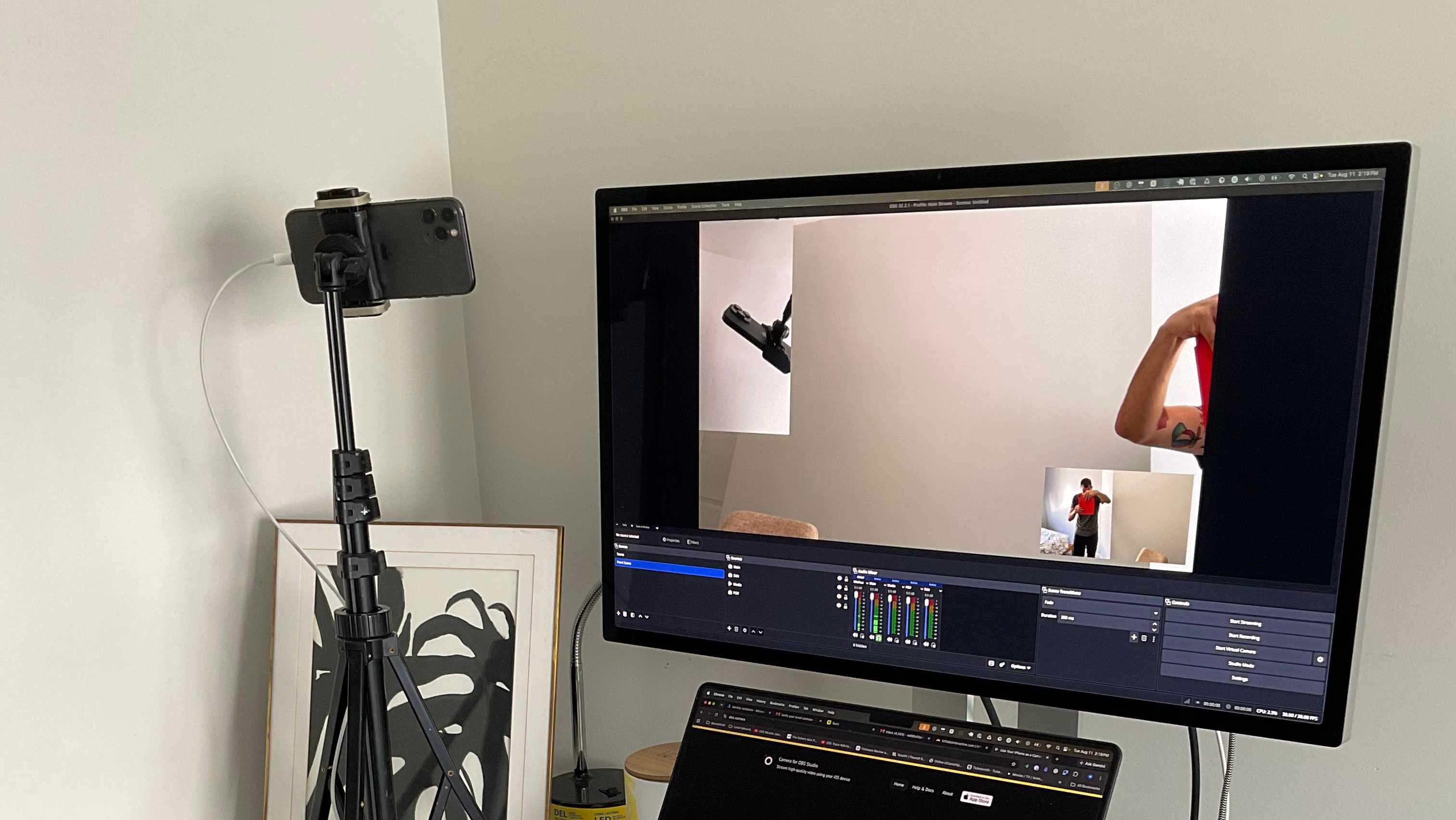
This is most people, and it works beautifully. The phone does not run OBS; it feeds OBS. Your iPhone's camera shows up as a source on your computer, next to webcams and capture cards.
That is what my app does: Camera for OBS Studio, over a USB cable for reliability or wirelessly when the cable cannot reach. USB charges the phone while it shoots. The USB setup takes a couple of minutes. It's a pretty cool way to setup a streaming session.
Got more than one old iPhone in a drawer? That is a multi-camera studio.
2. “I want to control OBS from my phone”
Also very doable. The phone becomes a remote control instead of the studio. OBS has included its WebSocket server since version 28. You will find it under Tools → WebSocket Server Settings.
Remote-control apps connect to that server over your local network. They can switch scenes, start and stop recording, and mute sources from the couch or the stage. Keep WebSocket authentication enabled and use the password OBS creates.
My app works in the other direction too. You can frame and adjust the phone's shot from a browser on your computer, so a camera mounted high on a shelf never needs touching.
3. “I want to stream from just my phone—no computer”
Then you do not need OBS.
Platforms such as YouTube typically support mobile live streaming from their own apps. Mobile streaming studios also exist if you want overlays and alerts on the go. For a walk-and-talk stream or quick IRL broadcast, that is the right kind of tool. A laptop in a backpack does not automatically improve it.
The tradeoff appears when you want desktop sources, OBS plugins, several camera angles, detailed audio routing, and a clean local recording. A phone-only app may cover some of those jobs, but it will not become desktop OBS.
The smallest genuine OBS rig is a modest laptop running OBS with the phone as its camera. It fits in one bag and keeps the parts of OBS that made you want it in the first place.
The short version
OBS runs on computers. Phones make spectacular cameras and handy remote controls for it. For phone-only streaming, use a mobile streaming tool instead.
If you came here wanting your iPhone camera in OBS Studio, that is the part I can help with directly: Camera for OBS Studio.